With this button pack, you can easily turn any link on your page into an animated button by just assigning a class name. No JavaScript necessary. Four color themes and three sizes are also available by assigning additional class names.
The buttons are scalable based on the font-size. The button size can be easily adjusted by changing the padding and font-size values. The best part about this method is it can be applied to any HTML element such as div, span, p, a, button, input, etc.
We've all seen the CSS3 buttons, but none of them have icons in them. Turns out that background gradient uses the image property so we've got to add a span around the text to show in the icon.
CSS3Menu is free for non-commercial use. If you want to use CSS3Menu on a school site, your non-commercial blog or non-profit organisation website, just download CSS3Menu and use it for free.
What once required background images and icons can now be created with plain-old CSS. Because modern browsers have access to things like box shadow, gradients, rounded corners, text-shadows, and font-face, we can finally take advantage of this and remove any need for images, when creating visual elements, such as buttons! I’ll show you how in today’s video tutorial.
This article features code examples in both Haml and HTML; Sass and CSS. If you are unfamiliar with Haml and Sass, please check out the Haml and Sass sites for more information and usage.
This is a collection of buttons that show what is possible using CSS3 and other advanced techniques, while maintaining the simplest possible markup. These buttons look best in Chrome and Safari (especially on OSX). They look almost as good in Firefox, with all other browsers falling back to a less-styled button. If you use these buttons in the wild, drop me a note and let me know.
CSS3 is coming, and with it you can create marvelous page effects which were previously only possible with images. And where CSS3 fails, you can use SVG, but that's another story.
In this Tutorial we’ll show you how to recreate 3 different, slick buttons that we created beforehand in Photoshop without the usage of any image in CSS3. We’ll use a multitude of CSS3 properties, such as @font-face, text- and box-shadow, gradients and border-radius.
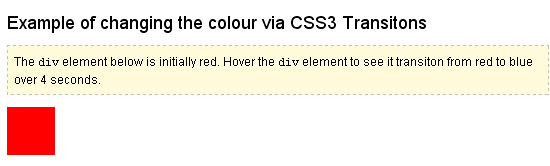
When Firefox 4 is released this October, browsers that support the CSS3 transition property will make up approximately 30% of the market (providing current Firefox users upgrade). With this in mind, it now becomes viable to consider CSS as an alternative to using JavaScript to achieve fading :hover{} effects on buttons and other interface elements. This article explores a simple method for doing this, with fallbacks for other browsers.
CSS3 is one of the coolest new web technologies available to web developers right now. Using some of its many features, it is possible to reproduce the effects that you might have previously done in Photoshop, with CSS code that is more maintainable, faster to load, and hip with the latest trends. Read on to learn about the power tools available to you and how to combine them to produce the ultimate graphical effects.
Creating a nice looking menu no longer needs all the code and time it use to, thanks to CSS3. This is a tutorial explaining how to create great looking buttons using just CSS3.
Cascading Style Sheets 3 has been available for “some time” (first time introduced nine years ago). However, CSS3 hasn’t been available in common use for more than two years.
CSS3 Transitions in real use were introduced in late 2007 by Safari. At that time, they were referred as “CSS Animations”, but the terminology changed when Safari introduced their proprietary features also called CSS Animations
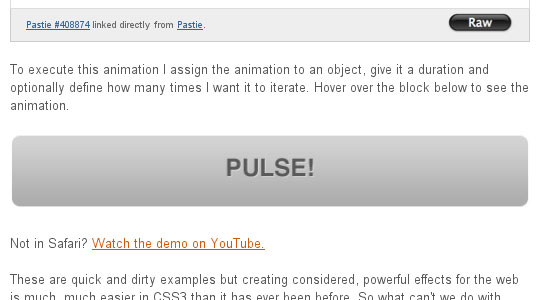
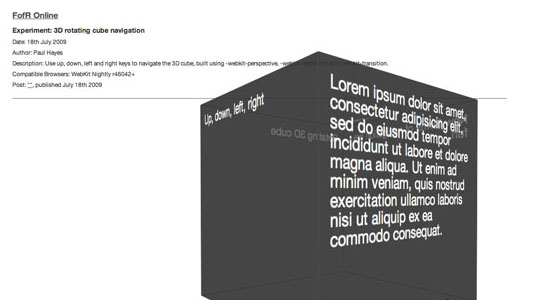
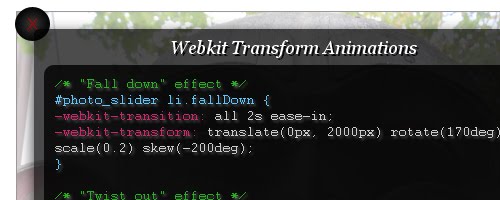
First things first - these demos are showing of CSS transitions, transforms (2D and 3D) and animations. Currently (May 2010), transitions and 2D transforms are available in all current browsers (at least in a dev build) apart from Internet Explorer, 3D transforms and animations are only in Safari. Most examples degrade nicely, so if you are using a legacy browser you can still use a site using these, you just won't get animation. 3D transforms generally don't degrade nicely, so be careful when using them.
As CSS3 rolls out around the web, it is bringing some interesting new presentational techniques along with it. Today, we’ll review the basics of using CSS3 transitions and animations to add an extra layer of polish.
The examples on this page will work properly in Safari and Chrome and Opera. In the latest Firefox release you will see the transforms, but without any animation (though it's coming soon). If you're still using Internet Explorer nothing on this page will make much sense.
There has been discussions about allowing CSS to help developers create smooth transitions of CSS properties for elements, and it’s something being specified in CSS3 in W3C CSS Transitions Module Level 3. Here I’m going to show you how to implement it in Firefox, Google Chrome, Safari & Opera.
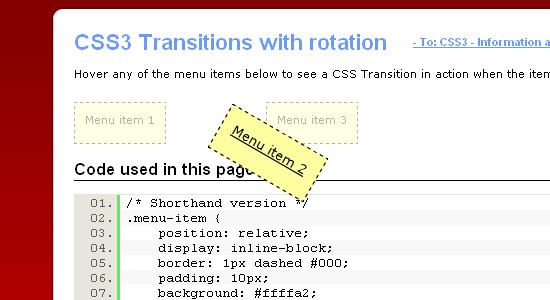
For richer user interfaces it is often desirable to include some animation to make an effect smoother or more appealing, or effects such as rotating elements and text. Traditionally in HTML pages the primary means to add animations was to use JavaScript to adjust the desired CSS property value over a given period of time. This works but can be slower as the JavaScript code is not hardware or software accelerated. What's more, using JavaScript for animations creates more code to maintain. It has not been possible to apply effects such as text at an angle without resorting to using images or SVG.
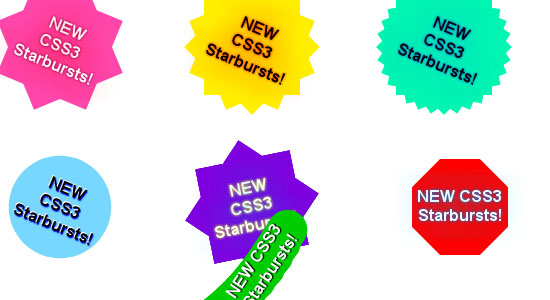
I was recently experimenting with the new CSS3 rotation property and it occurred to me that I could use this to create image-free starbursts. All I needed was a series of nested block-level elements each rotated by a slightly different amount. The rotation would distribute the box corners around the circumference of the star.
There's been a lot of hullaballoo on the 'tubes about the Safari 4 beta – fast javascript engine, new UI elements (that we're not all sold on), coverflow, full-page zoom and about 140 other features. What's got the online world all hot and bothered though is CSS animation, part of the proposed spec for CSS3.
With the arrival of HTML5 & CSS3, web designers all over the world have had different reactions. Some see this as a great opportunity for creating “a better web”, but know that there is still some years to go for seeing it implemented completely, so they are sticking to good old xHTML & CSS 2.1. Others, however, can’t wait for the future and are developing (some pretty cool stuff, I have to say) using these latest technologies.
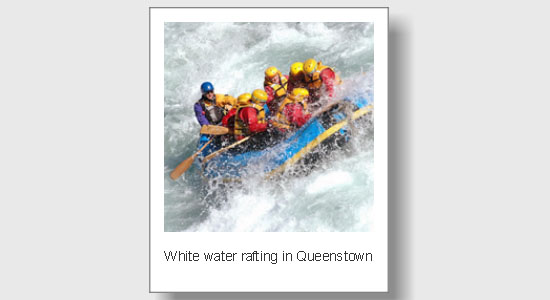
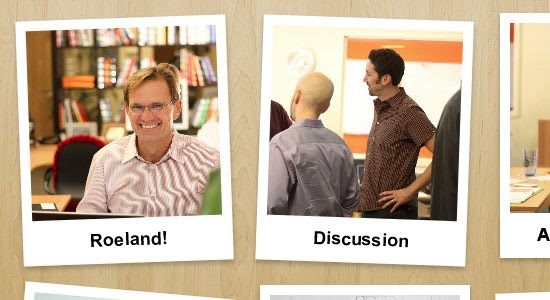
Yesterday, Jon and I were going back and forth about what to blog about next. Love of CSS and doing something cool with it is kind of our thing and we quickly jumped on a brand new idea: polaroid style images with just CSS. Holy super awesome, Batman!
I was recently experimenting with the new CSS3 rotation property and it occurred to me that I could use this to create image-free starbursts. All I needed was a series of nested block-level elements each rotated by a slightly different amount. The rotation would distribute the box corners around the circumference of the star.
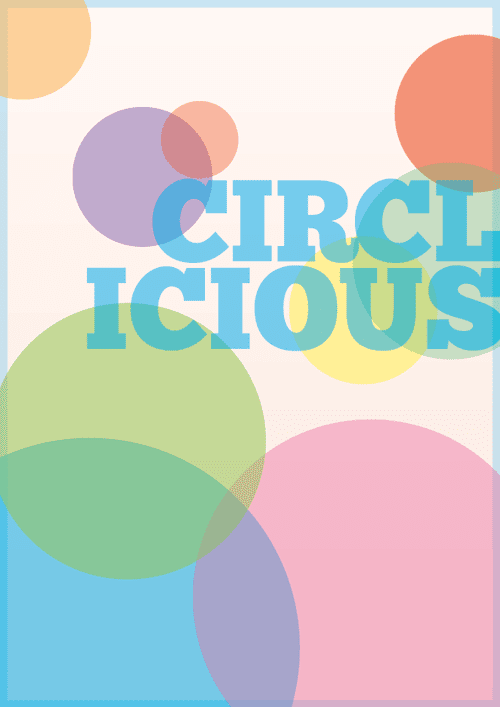
CSS has come a long way in recent years, and with new browser support for a hand full of CSS3 properties we can begin to replicate design styles directly in the browser that beforehand were recently only possible in our design applications. Follow this walkthrough of the making of Circlicious, a vibrant and abstract digital poster design made purely of HTML and CSS.
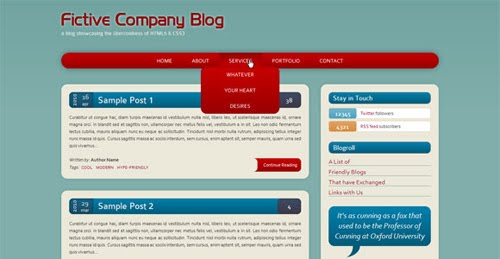
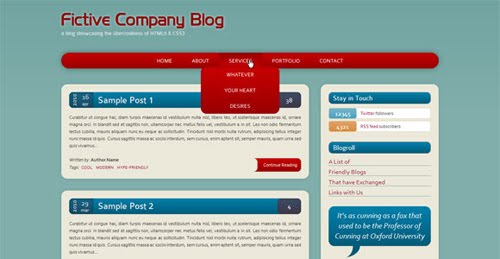
Ever since all the articles showcasing the new features in HTML5 and CSS3 started appearing around the web, I have had the idea of building a website layout without any images. With all the advancements in HTML5 & CSS3 (compared to previous respectable specs) it wouldn’t be too hard to create a decent-looking website that wouldn’t have to rely on images for the layout elements.
Magnifying glass experiment using CSS3. Only works in Google Chrome at the moment and has very limited usage capability. But the initial idea is there and hope to extend with more features later on.Would love to see peoples use of this and any ideas on how it can be improved and built upon.
By abusing the text-shadow property, you can turn any ho-hum bit of text into a magnificent, radiant beacon of allure and awe. But getting your bling-bling on has never been for the cheapskates. Expect to pay a boatload in refresh rates, as your browser buckles under the weight of rendering that glorious halo.
Lately I’ve been playing around with CSS3 and discovered some new CSS tricks. Did you know you can make a round circle with border-radius and create inner shadow effect with box-shadow inset? Check out this beautiful search form demo that I’ve created with CSS gradient, border-radius, and box-shadow. It displays perfect in CSS3 browsers and degrades gracefully in non-CSS3 browsers.
First of all thanks to giving me a great response on Ajax Style Loading Animation in CSS3 ( no Images ) .
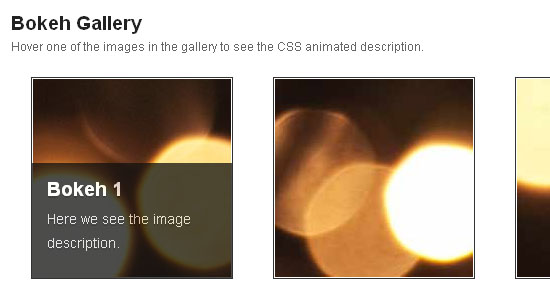
In this post I am going to show to How to create a sexy css effect on image hover.This kinda effect you have seen before in Flash or in javascript as well.But why use Flash or js when CSS can do the same work.So lets do it …
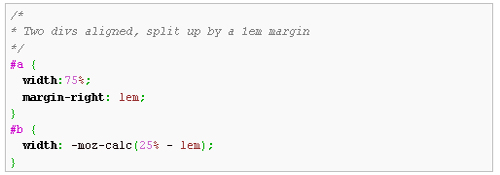
Firefox will support the CSS calc() value, which lets you compute a length value using an arithmetic expression. This means you can use it to define the sizes of divs, the values of margins, the widths of borders, and so forth.- :D
For the web design world, advancements don’t come quick. It takes years of hard work to accomplish new overhauls such as HTML code and CSS levels. When new advancements are made, it makes us feel all giddy inside, and the anticipation kills us.
Today I will show how to create the above subscription box using simple HTML markup and a few advanced CSS3 properties. I believe CSS3 is the future and the sooner you can jump on the CSS3 band wagon the better. All the stylish shadows and gradients used are rendered using CSS properties which can be experimented with to produce some fantastic results.
Speech bubbles are a popular effect but many tutorials rely on presentational HTML or JavaScript. This tutorial contains various forms of speech bubble effect created with CSS2.1 and enhanced with CSS3. No images, no JavaScript and it can be applied to your existing semantic HTML.
CSS 3 introduces a brand new box model in addition of the traditional box model from CSS 1 and 2. The flexible box model determines the way boxes are distributed inside other boxes and the way they share the available space.
One of the huge benefits to using CSS3 is the ability to create image-like effects without the use of images. CSS3 gradients, shadows, and rounded corners have helped designers greatly in this area.
Since Last some days we are writing articles on CSS3. And today we will learn here to create animated navigation menu with css3. Here will try to create animated menu with css3 and also will create the same animation using jQuery. So lets start..
Designers have been using basic CSS3 techniques to enhance their designs for several years now, but cross-browser incompatibilities and lack of practical examples have slowed its progression in the mainstream design world. In this tutorial, I explore and demonstrate some of the more practical aspects of CSS3 and provide realistic examples, resources, advise and a compatibility guide.
Today I am going to show you how to use some neat CSS3 properties to beautify your tables. With so many new selectors we can address specific table cells and rows in order to create a unique style without adding classes to the markup.
Though the changes implemented by CSS3 are still not supported on all browsers and cross-browser functionality across those that do support it can be a real pain, it’s still quite fun to experiment and see what’s possible.
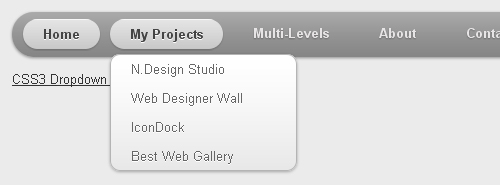
While I was coding the Notepad theme, I’ve learned some new CSS3 features and now I would like to share it with you. View the demo to see a Mac-like multi-level dropdown menu that I’ve created using border-radius, box-shadow, and text-shadow. It renders perfect on Firefox, Safari and Chrome. The dropdown also works on non-CSS3 compitable browsers such as IE7+, but the rounded corners and shadow will not be rendered.